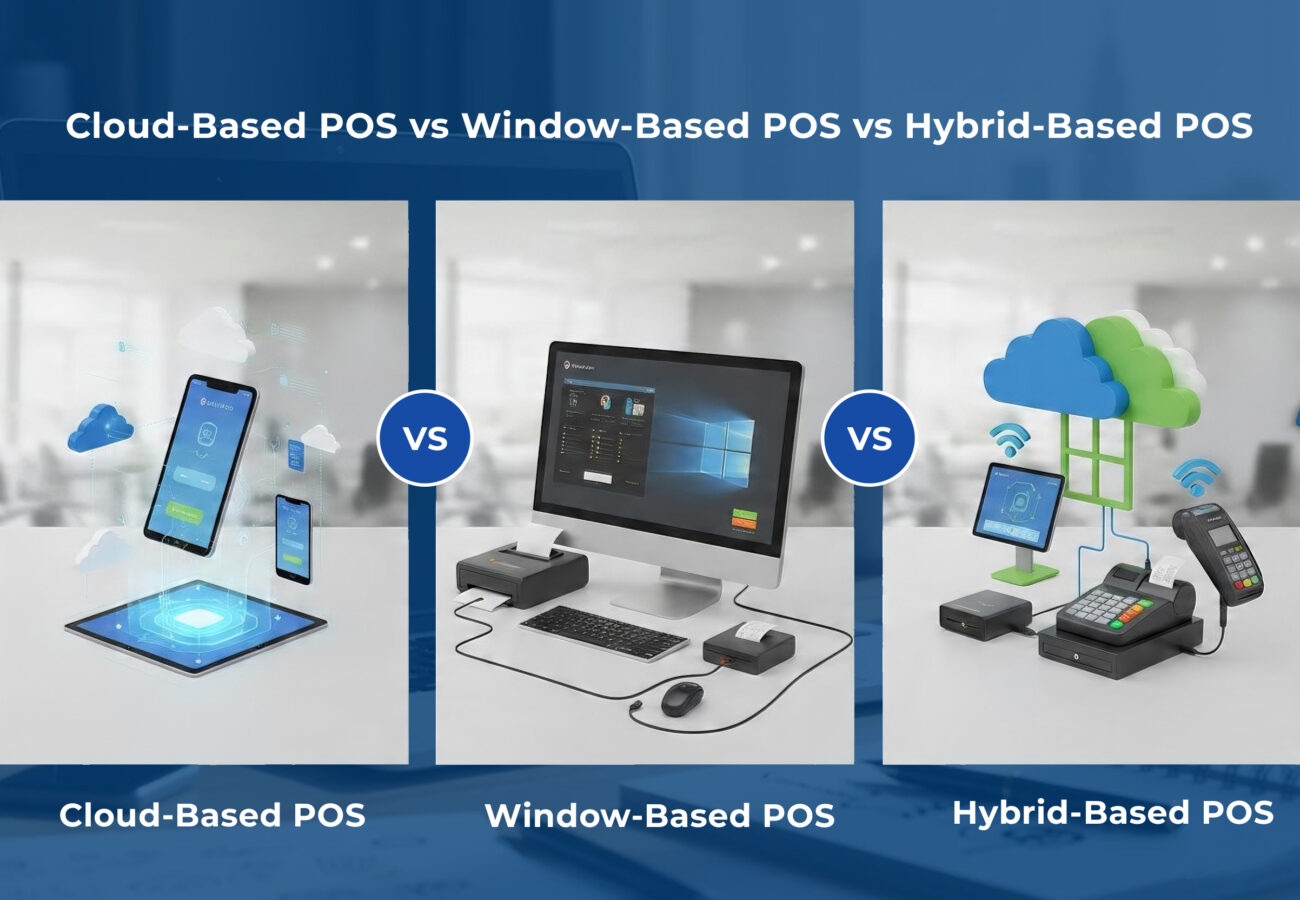
Choosing the wrong POS system feels like buying a car that breaks down every time it rains. It’s frustrating, expensive, and bad for business.
For decades, the decision was simple: you either bought a bulky, expensive Windows-based terminal, or you risked everything on a shiny new iPad. But today, the market has a third player: The Hybrid.
If you are opening a new cafe, scaling a retail chain, or wellness centre, you need to know the difference between Cloud, Windows, and Hybrid systems – and why the “best” choice depends entirely on your internet connection.
Let’s break down the three contenders.
1. Windows-Based POS System
Think of the old-school cash registers at department stores or the terminal at your local store that hasn’t been updated since 2012.
How it works:
The software lives entirely on a local PC or server. The database, reports, and transaction processing happen inside your four walls. If you want to see sales reports from home, you usually need a VPN or remote desktop access.
The Good:
– Rock-Solid Offline: Lose internet? You don’t care. Windows POS operates purely on local LAN (Local Area Network).
– Powerful Processing: Usually requires bulky hardware. Running complex inventory for 50,000 SKUs won’t slow them down.
The Bad:
– Brutal Upfront Cost: You need to buy the server, the licenses, and the support contract.
– Manual Backups: If the hard drive crashes and you didn’t manually back up to a tape drive or external HDD, your sales data is gone forever.
2. Cloud-Based POS System
It’s what most new business owners picture when they think of “modern tech”.
How it works:
The software runs on remote servers (the cloud). Your iPad, Android tablet, or phone is just a “window” viewing that data.
The Good:
– Real-Time Data: Close a sale in Kuala Lumpur, and instantly see the inventory update in Johor. Check your daily sales while brushing your teeth.
– Auto-Updates: New version? Bug fixes? They happen overnight. You never pay for a “new version” again.
– Low Entry Cost: Lower cost is required to invest in a tablet to open your business.
The Bad:
– The “No Internet” Apocalypse: If your Wi-Fi goes down, most pure-cloud systems become expensive paperweights.
– Latency Lag: Ever tapped your card and waited 5 seconds for the screen to catch up? That’s cloud latency. It adds up during a lunch rush.
3. Hybrid-Based POS System
Most vendors don’t advertise “Hybrid”, but the smartest systems on the market actually function this way.
How it works:
The POS terminal runs a local copy of the database on its own hardware. It syncs with the cloud in the background. If the internet drops, you keep selling. When the web comes back, it syncs the transactions.
The Good:
– Best of Both Worlds: Offline processing (like Windows) + remote reporting (like Cloud).
– Network Light: Because the heavy lifting is done on the device, you don’t need fiber-optic speeds to run a busy restaurant.
– Redundancy: If the cloud server goes down, your registers still talk to each other. If your power goes out, the cloud still has your data.
The Bad:
–Sync Conflicts: If two registers go offline and sell the same last item, the cloud might have a “negative inventory” glitch when they reconnect.
– Complex Setup: Setting up a hybrid network requires a technician who actually understands networking, not just a tablet app.
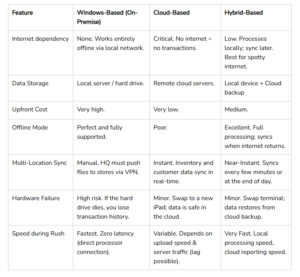
Comparison Table
Final Takeaway:
For 99% of small-to-medium businesses, Hybrid is the safest bet. It protects you from internet outrages and keeps operating until the connection is recovered.